Ok, so I want to start a very simple tutorial for the rest of us. I am close to building my first world which is ity bity. So I can't claim I'm an expert. But if I can do it, everyone else can do it too, just takes some patience and some clear directions!
What I want to do is to start posting up chapters, each one a mini-lesson.
They should go in this order (which is subject to change as I'm working off the top of my head right now since I'm away from my simming computer):
1. Basics of the program
2. Terrain Sculpting and Painting
3. Placing Roads and Lots
4. Placing everything else (also known as decorating)
5. Exporting your Neighborhood for use in game
That's it so far. Each lesson hopefully won't be too long. There are a lot of shiny buttons, but what I would like is for anyone reading this to come away with a basic knowledge of the program so you can start the exploration of creating your own world.
Before the lessons begin:
CAW Walkthrough by Rain. The first section is particularly important. Before you create your world, have an idea of what you want. I would suggest to start small. By the end of this tutorial, have plans to have a small and functioning city.
First tip: Remember that with TS3, nothing is truly required. In my story hoods, I did away with the schools, city hall, restaurants, theaters, pretty much everything that might distract them, and my sims have suffered no ill affects. So be free to experiment.
In my little "village" I wanted it to have a small city feel to it, so a cluster of commercial buildings, a few parks maybe, a school, a city hall, and a meeting place. There would be apartment buildings, and a few houses on the outskirts, and some other surprises.
Make plans, do some sketches, get ideas. But I would say don't have too clear an idea of what you want, just a general idea so that you'll feel free to experiment without frustration.
World Builder 2
Holy crap! I am tackling a very small world right now, and it is overwhelming.
The amount of stuff you can do! I certainly wish I was more organized mentally.
So here's the thing, I keep on looking at all the stuff I need and jumping all over the place. But I think the key to good world building will be focusing.
Last night I tweeted that I felt like Slartibartfast when he was making the fjords. And I do! Since last night I was just working on the beach and the beach alone. It's a small beach, but I have to paint it, place the rocks, place the effects which include the ocean surf and some crashing waves. All of this is a lot harder than it sounds.
When painting, at first it looks weirdly disorienting. From the high up view, it look splotchy and unnatural. That's just because you're so far away, you're getting a view of where the paint is.
For example, here is a rocky mountain on the beach I'm working on. I couldn't help going, "Yeesh!" And spent a little time trying to make it better, smoother and more natural.

So I think I tried to zoom in, and then I saw this:

It looks exactly the way I wanted it to look. Grass dispersed on shale like it's growing through the rocks. When I peek at the world in game, it looks even better, more detailed and more natural.
Another example, the ground near a farm I worked on last night before actually focusing.
 It was driving me nuts. I wanted the ground to be dirty with sparse grass growing, not perfectly green and lush.
 Up close, this is what I have, which is exactly what I wanted.
Edit in game is an annoying misnomer to me. For one, unless I'm missing something (and I might be), you can't actually edit it further than checking to see if a lot fits. Which is pointless anyway because if you have anything installed in your game, it takes forever to load. An hour or more for me, and that was only with the few sims3packs I have installed.
So to get the game to load so I can take a peek with the "edit in game" I have to remove all my downloads. Including the lots I picked up specifically for the project.
Then once I am in game taking a peek, I cannot tilt the camera out of its default setting. The controls are there, but they don't work. It's a little hard to see if the rocks I placed on the beach are floating when I'm looking down at them from above.
On another note that is awesome-- they have our trees. They call it "Monterey Cypress". I think I'm a little too excited about that.
The amount of stuff you can do! I certainly wish I was more organized mentally.
So here's the thing, I keep on looking at all the stuff I need and jumping all over the place. But I think the key to good world building will be focusing.
Last night I tweeted that I felt like Slartibartfast when he was making the fjords. And I do! Since last night I was just working on the beach and the beach alone. It's a small beach, but I have to paint it, place the rocks, place the effects which include the ocean surf and some crashing waves. All of this is a lot harder than it sounds.
When painting, at first it looks weirdly disorienting. From the high up view, it look splotchy and unnatural. That's just because you're so far away, you're getting a view of where the paint is.
For example, here is a rocky mountain on the beach I'm working on. I couldn't help going, "Yeesh!" And spent a little time trying to make it better, smoother and more natural.
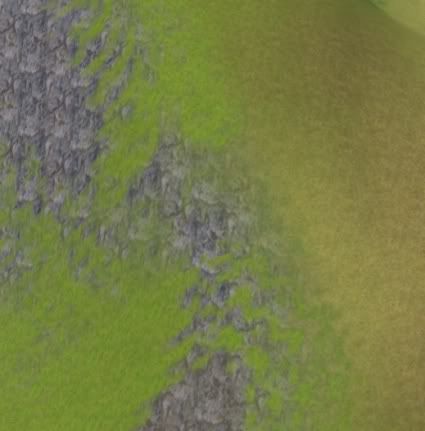
So I think I tried to zoom in, and then I saw this:
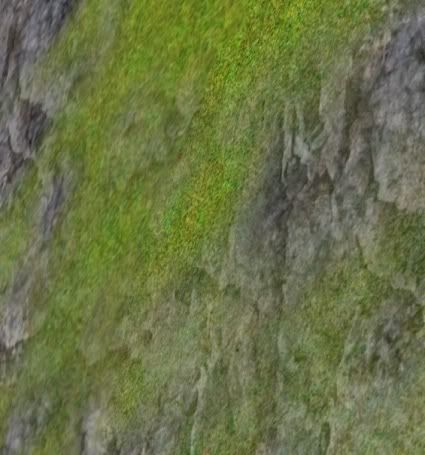
It looks exactly the way I wanted it to look. Grass dispersed on shale like it's growing through the rocks. When I peek at the world in game, it looks even better, more detailed and more natural.
Another example, the ground near a farm I worked on last night before actually focusing.
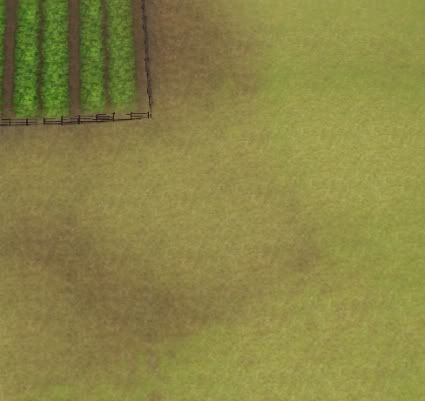 It was driving me nuts. I wanted the ground to be dirty with sparse grass growing, not perfectly green and lush.
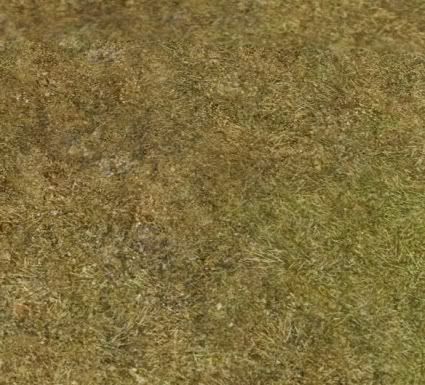 Up close, this is what I have, which is exactly what I wanted.
Edit in game is an annoying misnomer to me. For one, unless I'm missing something (and I might be), you can't actually edit it further than checking to see if a lot fits. Which is pointless anyway because if you have anything installed in your game, it takes forever to load. An hour or more for me, and that was only with the few sims3packs I have installed.
So to get the game to load so I can take a peek with the "edit in game" I have to remove all my downloads. Including the lots I picked up specifically for the project.
Then once I am in game taking a peek, I cannot tilt the camera out of its default setting. The controls are there, but they don't work. It's a little hard to see if the rocks I placed on the beach are floating when I'm looking down at them from above.
On another note that is awesome-- they have our trees. They call it "Monterey Cypress". I think I'm a little too excited about that.

World Builder
I have been playing with this thing all day. I seem to be able to figure things out when I have a certain idea in mind because I won't rest until I do!
So World Builder is awesome. Seriously awesome. Difficult and frustrating, but still really awesome.
Amazing benefits: Being able to upload your own textures. Being able to use more than one type of road in one neighborhood. Being able to upload custom road and sidewalk textures. I can see those coming in handy!
Takes a while to get used to the controls though.
Getting used to scale is difficult. What I did was plopped down a large lot so I would know how big is BIG.
On the plus side, you can put up a grid and tell things to snap to grid. Makes placing intersections and roads SO much easier!
But I can see having to spend a lot of time working on one neighborhood to get it right. I've come a long way during the day, but I haven't painted the grounds yet, and the paints I have are kinda limited. (Just shale, grass, and two kinds of sand apparently. There's probably more that came packaged with World Builder, like the extra roads.)
Overall- two little tips to make it easier that I've learned from my play:
Remember the magic of the right click, and don't forget you have layers off on the side. A lot of options can be found by right clicking on the layers (like adding and editing a description by right clicking on the first layer.)
When working with World Builder, You'll want to see the neighborhood in game. It takes forever to load UNLESS you just remove all your Custom Content.
I do have some Sim3Packs missing, but I hear there is a work around, which I'm trying. I haven't actually tried playing the game though to see if it works because I'm been trying to build all day!
Also, had a little too much fun dressing up and taking pictures of Mr. Brown Suit sim the other night while taking pics for the next two updates. He really came out well, and I cannot claim the credit. His father was a little too pretty, and his mother was a sim I created. I think I only had to touch up his eyes because they were too large and innocent for the character.


So World Builder is awesome. Seriously awesome. Difficult and frustrating, but still really awesome.
Amazing benefits: Being able to upload your own textures. Being able to use more than one type of road in one neighborhood. Being able to upload custom road and sidewalk textures. I can see those coming in handy!
Takes a while to get used to the controls though.
Getting used to scale is difficult. What I did was plopped down a large lot so I would know how big is BIG.
On the plus side, you can put up a grid and tell things to snap to grid. Makes placing intersections and roads SO much easier!
But I can see having to spend a lot of time working on one neighborhood to get it right. I've come a long way during the day, but I haven't painted the grounds yet, and the paints I have are kinda limited. (Just shale, grass, and two kinds of sand apparently. There's probably more that came packaged with World Builder, like the extra roads.)
Overall- two little tips to make it easier that I've learned from my play:
Remember the magic of the right click, and don't forget you have layers off on the side. A lot of options can be found by right clicking on the layers (like adding and editing a description by right clicking on the first layer.)
When working with World Builder, You'll want to see the neighborhood in game. It takes forever to load UNLESS you just remove all your Custom Content.
I do have some Sim3Packs missing, but I hear there is a work around, which I'm trying. I haven't actually tried playing the game though to see if it works because I'm been trying to build all day!
Also, had a little too much fun dressing up and taking pictures of Mr. Brown Suit sim the other night while taking pics for the next two updates. He really came out well, and I cannot claim the credit. His father was a little too pretty, and his mother was a sim I created. I think I only had to touch up his eyes because they were too large and innocent for the character.

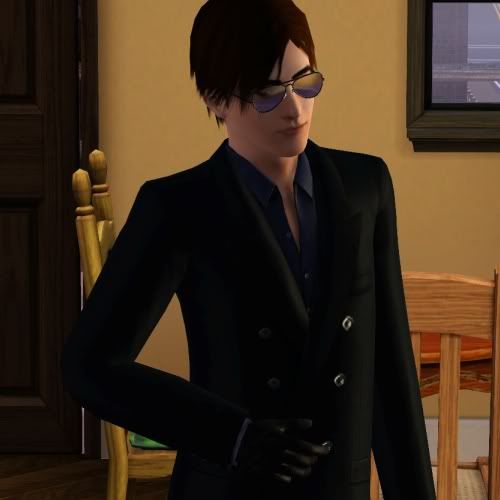
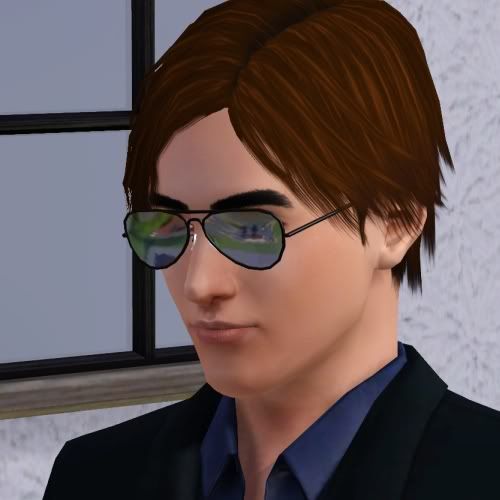
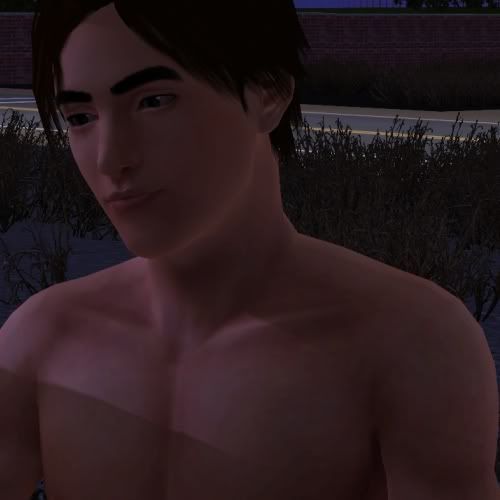
Another sim!
I have come to believe that TS3 sims can either be really bland or very interesting if you play with their features right.
Maybe it's just me though. Maybe I'm only interested in the characters I create because they're interesting to me. When I nail the visuals for a character in my head, I know it and I can't help coming back to look at them the same way I do after I lose myself in a piece of writing and then can't believe it came from me.

So I made another sim two nights ago. Two more actually, but the other one is lacking something, and I'm not sure what at this moment.
This one came out perfectly. I've run her through test shots, even started playing with her last night, and got a little too involved. Before I knew it, I was actually playing Sims 3. I just can't believe it.
Maybe it's just me though. Maybe I'm only interested in the characters I create because they're interesting to me. When I nail the visuals for a character in my head, I know it and I can't help coming back to look at them the same way I do after I lose myself in a piece of writing and then can't believe it came from me.
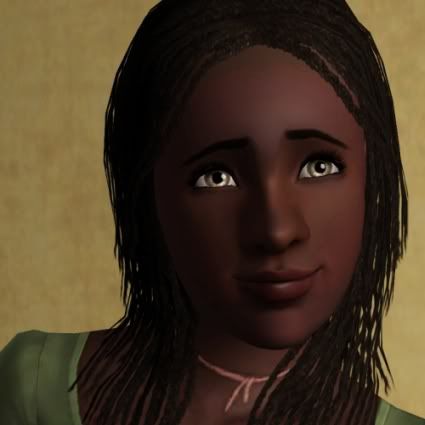
So I made another sim two nights ago. Two more actually, but the other one is lacking something, and I'm not sure what at this moment.
This one came out perfectly. I've run her through test shots, even started playing with her last night, and got a little too involved. Before I knew it, I was actually playing Sims 3. I just can't believe it.
More World Adventures
They started out the morning early. Henri was nice enough to make french toast. While in China.
 "Seriously? French toast? Isn't that, like, a slap in the faces of the Chinese? And you're using chop sticks? Seriously?"
He's used to ignoring her by now having to take a lot of test shots with her already. Besides, at least she isn't talking about the red sparkles anymore. Though she still gets a moodlet from him every time she glances at him. WHich is gross, she's 16 and he's close to 50 now.
 So he thought he'd take her into one of the ruins. (As something of a reward for NOT mentioning the stupid sparkles.) She's not exactly the bravest. Every sound made her jump.
Though she did get a hang of it after a while. Even stuck her hand in some of the holes in the walls to help him look for secret switches.
 She won't be doing that again for a while.
It seemed she needed some toughening up. And Henri sim is the perfect one to do it.
 "Uh, like this? Maybe this would work better if I had some proper gym clothes on. I might feel, like, fiercer or something."
It took some time. A lot of yelling on his part. Finally, she was worthy of the white belt.
 It seems that when given the white belt, you're also taught exactly how to pose and look awesome with it.
"Did you get the picture with the camera? I wanna put that up on my wall. You didn't? What were you doing?"
Practicing. I told you, he's rather used to ignoring her by now.
 If he wasn't sparkling, this would be a fantastic shot!
Fun trivia (so I think): the draw distance on my game is always set to short/minimum because I can't build my world yet. I don't want you to see that Michael and Edith actually live on a hill looking over a "village" that's supposed to be miles away, or that the Southlands is actually just one street in the middle of green rolling hills.
Anyway, I mention that because of the mist in the background of that last shot.
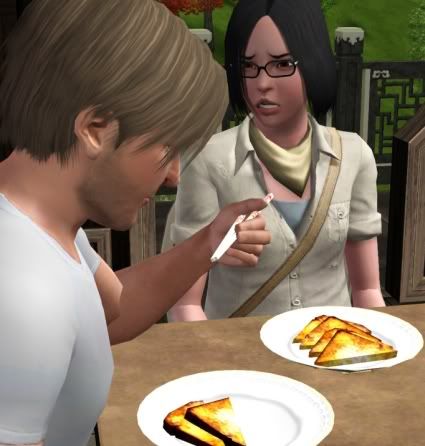 "Seriously? French toast? Isn't that, like, a slap in the faces of the Chinese? And you're using chop sticks? Seriously?"
He's used to ignoring her by now having to take a lot of test shots with her already. Besides, at least she isn't talking about the red sparkles anymore. Though she still gets a moodlet from him every time she glances at him. WHich is gross, she's 16 and he's close to 50 now.
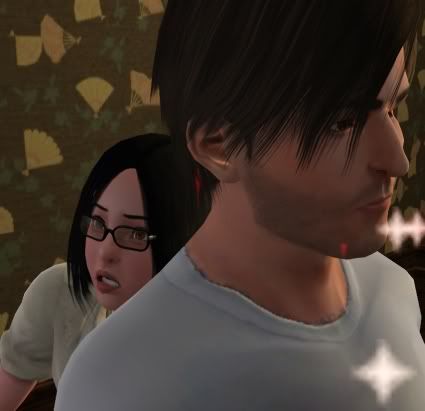 So he thought he'd take her into one of the ruins. (As something of a reward for NOT mentioning the stupid sparkles.) She's not exactly the bravest. Every sound made her jump.
Though she did get a hang of it after a while. Even stuck her hand in some of the holes in the walls to help him look for secret switches.
 She won't be doing that again for a while.
It seemed she needed some toughening up. And Henri sim is the perfect one to do it.
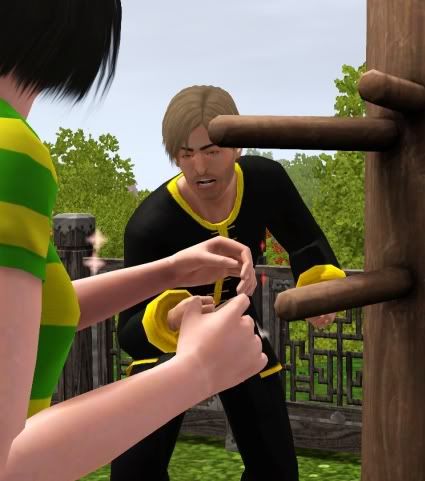 "Uh, like this? Maybe this would work better if I had some proper gym clothes on. I might feel, like, fiercer or something."
It took some time. A lot of yelling on his part. Finally, she was worthy of the white belt.
 It seems that when given the white belt, you're also taught exactly how to pose and look awesome with it.
"Did you get the picture with the camera? I wanna put that up on my wall. You didn't? What were you doing?"
Practicing. I told you, he's rather used to ignoring her by now.
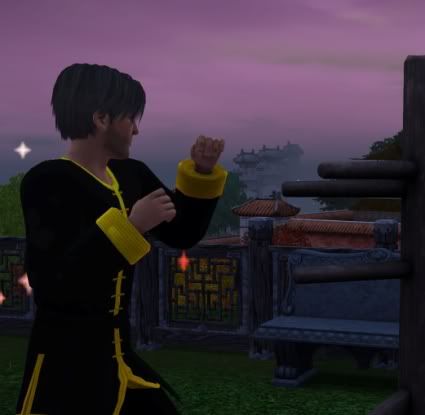 If he wasn't sparkling, this would be a fantastic shot!
Fun trivia (so I think): the draw distance on my game is always set to short/minimum because I can't build my world yet. I don't want you to see that Michael and Edith actually live on a hill looking over a "village" that's supposed to be miles away, or that the Southlands is actually just one street in the middle of green rolling hills.
Anyway, I mention that because of the mist in the background of that last shot.
New body sliders!
For the curious, because this is awesome! (I am not using any slider hacks at the moment.)

Here we have bust and height. (This is the tallest you can go without a slider hack. With a slider hack, it appears to get dicey and deformed. The one on the left is a regular sized sim. No slider for shorter yet.)

Butt.
 Small bust and butt.
Here compare:


Both are the same at the least in thickness and least in muscle tone, but one has less booty and less bust, sort of hard to tell at this thickness.
Can also do this to the men even.
Oh and there is a waist slider. Just don't have a lot of time to mess with this until this weekend or tonight after I take a nap. XD
I know a couple of sims who can use some fixing!
Where to get right now (both are still in testing):
Height sliders
Body sliders
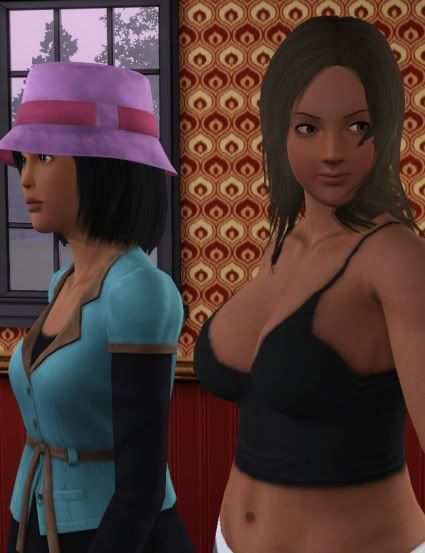
Here we have bust and height. (This is the tallest you can go without a slider hack. With a slider hack, it appears to get dicey and deformed. The one on the left is a regular sized sim. No slider for shorter yet.)
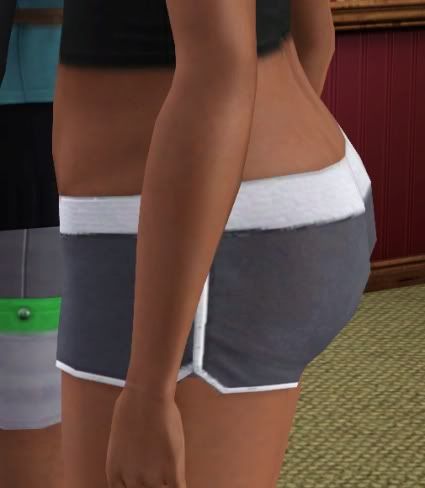
Butt.
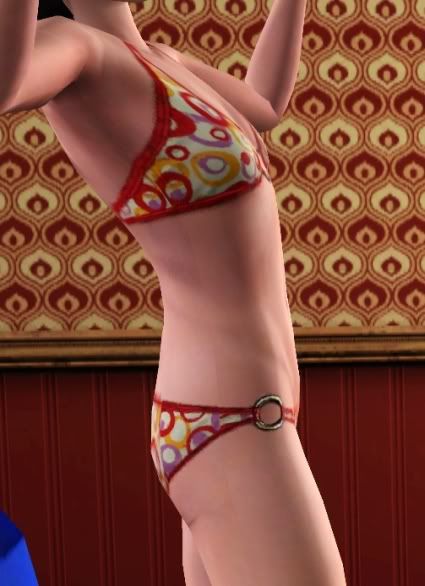 Small bust and butt.
Here compare:
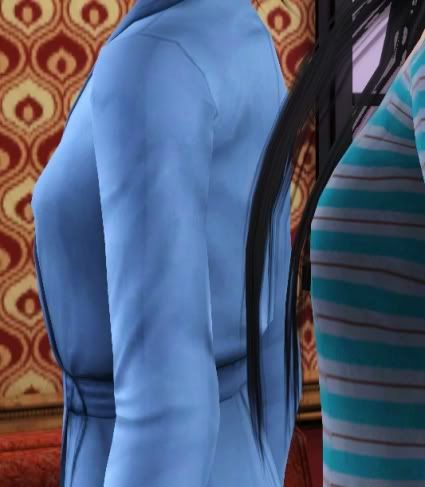
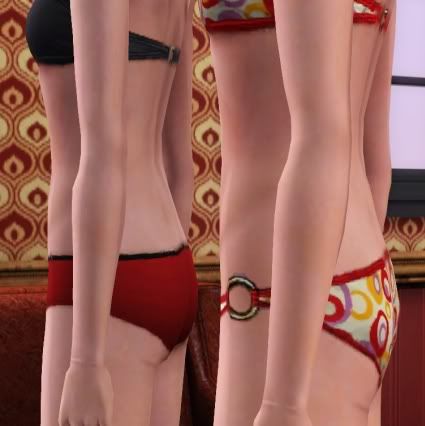
Both are the same at the least in thickness and least in muscle tone, but one has less booty and less bust, sort of hard to tell at this thickness.
Can also do this to the men even.
Oh and there is a waist slider. Just don't have a lot of time to mess with this until this weekend or tonight after I take a nap. XD
I know a couple of sims who can use some fixing!
Where to get right now (both are still in testing):
Height sliders
Body sliders
World Adventures Featuring
Henri Smith of course. Because of all the characters of Ruin, he would SO be a world adventurer.

Look, he's even sparkling with excitement.
Why is he really sparkling? I think it's because I tried out the "man candy" lifetime aspiration reward. Yeah, nice, but uh no. I'll have to wait on that one until someone (I'm going to bet HP at MTS) makes a replacement texture for that. Even if the sparkles glow red.
Some pics from the underground:

 This pic in particular is awesome. Know why? Because he's soaked, and the water is dripping off him. For about an hour or so game time, he dripped water everywhere and left puddles if he stood somewhere too long. Somehow, I will find a way to use that effectively.
I didn't get a chance to play long enough last night. We just made it through one underground catacomb. Which was awesome. Until I realized that the catacombs will never change unless I change them. So after we explore all of the catacombs, I'll probably never do it again.
Oh well. I mostly got this for the extra animations. In particular the fighting animations which will probably come in handy soon.
Oh and for the basement tool. There is one tribe that was supposed to live underground, and I would love to see if with the new basement tool I can appropriately do that. I suppose I can make a structure above ground and make it look like it's underground, but that somehow didn't seem as fun a challenge.
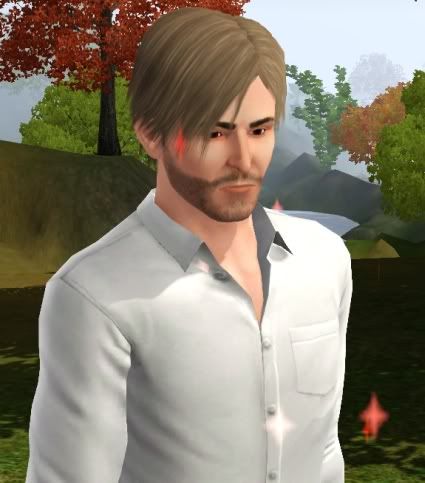
Look, he's even sparkling with excitement.
Why is he really sparkling? I think it's because I tried out the "man candy" lifetime aspiration reward. Yeah, nice, but uh no. I'll have to wait on that one until someone (I'm going to bet HP at MTS) makes a replacement texture for that. Even if the sparkles glow red.
Some pics from the underground:
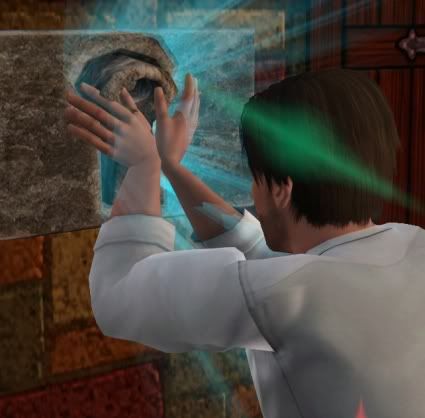
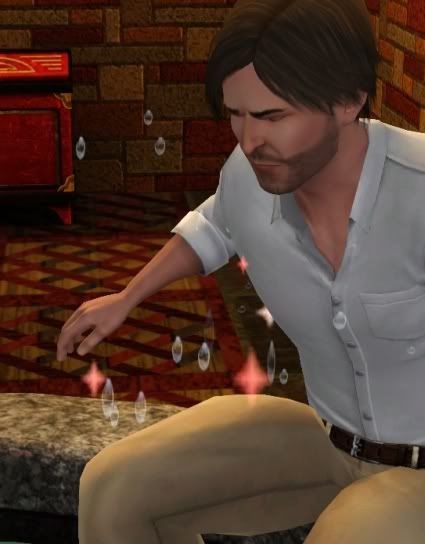 This pic in particular is awesome. Know why? Because he's soaked, and the water is dripping off him. For about an hour or so game time, he dripped water everywhere and left puddles if he stood somewhere too long. Somehow, I will find a way to use that effectively.
I didn't get a chance to play long enough last night. We just made it through one underground catacomb. Which was awesome. Until I realized that the catacombs will never change unless I change them. So after we explore all of the catacombs, I'll probably never do it again.
Oh well. I mostly got this for the extra animations. In particular the fighting animations which will probably come in handy soon.
Oh and for the basement tool. There is one tribe that was supposed to live underground, and I would love to see if with the new basement tool I can appropriately do that. I suppose I can make a structure above ground and make it look like it's underground, but that somehow didn't seem as fun a challenge.